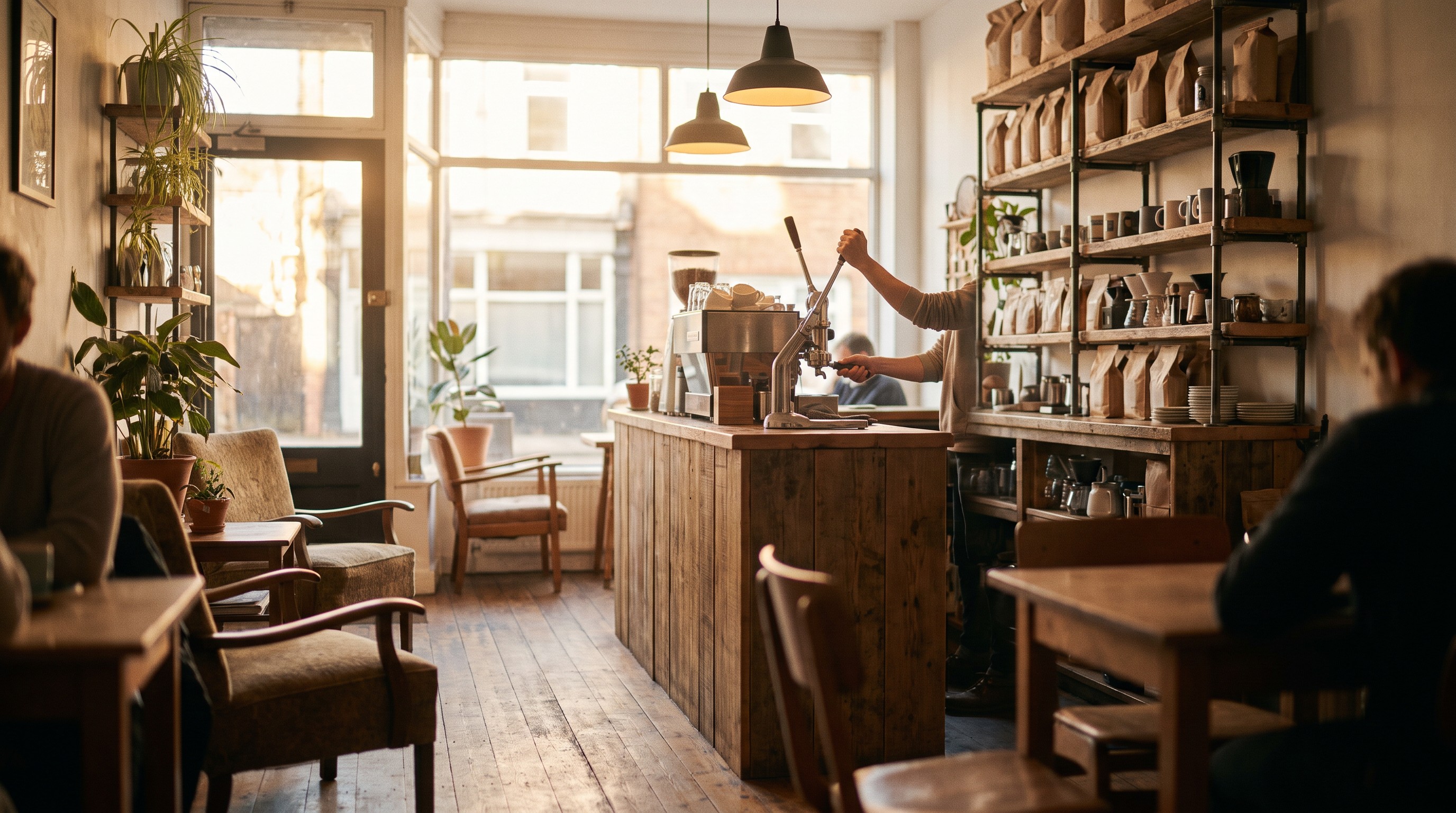
These coffee shop google business profile tips matter because, according to BrightLocal's 2026 Local Search Ranking Factors survey, the primary category you select on your Google Business Profile is the single biggest factor in whether you show up in Google's Local Pack. Get that setup right and a $5 latte drinker finds you first; get it wrong and they find the coffee shop down the street instead. The approach below mirrors what we cover for bakeries and specialty food businesses, another category where foot traffic lives and dies by what shows up on a phone screen.
A coffee shop runs on repeat customers and impulse decisions. Someone walking to the office, sitting in traffic, or killing ten minutes between meetings opens Google Maps and picks whichever cafe looks closest, open, and worth the walk. Your Google Business Profile is the pitch they see in that ten-second decision. Get it wrong and you're invisible no matter how good your espresso is.
Why Your Google Business Profile Decides Who Walks In
Most coffee shop owners spend their energy on the menu, the roast, the interior design. Meanwhile the thing that actually gets people through the door — the free listing Google already gave them — sits half-finished with a blurry photo and hours that haven't been updated since a holiday two years ago.
Search behavior for coffee shops is almost entirely local and almost entirely mobile. People aren't typing your business name. They're searching "coffee near me" or "cafe open now" and letting Google decide who deserves the click. A complete, accurate, well-photographed profile is what gets you into that decision.
This is also where paid and organic work together. If you're already running Google Ads management campaigns to drive foot traffic, a weak profile undercuts the ad spend — people click the ad, check the listing, and bounce if it looks abandoned.
Claim and Verify Your Profile the Right Way
Before any optimization work matters, confirm you actually own the listing. Search your business name on Google Maps, click "Own this business," and complete verification through phone, email, or video, depending on what Google offers your account.
Duplicate listings are common for coffee shops that moved locations or rebranded from a previous owner. If you find a second listing for your address, request its removal through Google's merge process — two competing profiles split your reviews and confuse the algorithm about which one to rank.
Set your primary category precisely. "Coffee Shop" should usually be the primary category, with secondary categories like "Cafe," "Espresso Bar," or "Breakfast Restaurant" added only if they genuinely describe what you sell. According to BrightLocal's ranking factors research, this single field carries more weight than almost any other part of the profile.
Photos That Make People Crave Your Coffee
Google's own Business Profile guidance recommends coffee shops upload at least three exterior photos, three interior photos, and three food and drink photos so customers recognize the business before they arrive. Most cafes stop at one or two total.
Exterior shots should show your storefront exactly as it looks from the sidewalk, including signage and the entrance, so someone walking by on their phone matches what they see. Interior shots should capture seating, lighting, and the general vibe — cramped and industrial reads differently than bright and plant-filled, and customers self-select based on that.
Food and drink photos sell the product. A well-lit latte with visible crema, a pastry case shot straight on, a hand pouring a pour-over — these outperform stock-style images because they show real texture and real portions. Update seasonal items regularly; a profile still showing a pumpkin spice drink in March signals neglect.
A profile photo gallery is a menu people flip through before they decide to walk in — treat every image like it's trying to close a sale.
Reviews: The Social Proof That Fills Tables
Reviews do two jobs at once: they influence ranking and they influence the human reading them before they order. A coffee shop with 40 reviews and a 4.8 average beats a coffee shop with 400 reviews and a 3.6 average almost every time in the decision a customer makes standing outside.
Ask for reviews at the moment of highest satisfaction — right after someone compliments the drink, not through a generic email blast three days later. A QR code on the receipt or a small table tent works better than any automated request system for a business this transactional.
Respond to every review, good and bad, within a few days. A calm, specific reply to a negative review often does more for conversion than ten five-star reviews with no owner response, because it shows a real person is paying attention. For the mechanics of building this habit, our guide on Google's 2026 review policy update covers what's changed and what still works.
Hours, Attributes, and Posts That Keep Customers Informed
Nothing kills a Google Business Profile's credibility faster than wrong hours. Set special hours for every holiday ahead of time, not the morning of, and double-check daylight saving adjustments each spring and fall.
Attributes matter more for coffee shops than most categories. Toggle on outdoor seating, Wi-Fi, dog-friendly, wheelchair accessible, and "good for working on laptop" if they apply — these are exactly the filters people use when searching from a laptop bag or with a dog on a leash.
Google Posts are underused and free. A weekly post about a new seasonal drink, a weekend event, or a limited pastry run keeps the profile active and gives Google fresh content to index. Pair this with the kind of content strategy covered in our piece on social media content for local businesses so posts don't feel like an afterthought.
Comparing where effort pays off fastest can help prioritize what to fix first if you're short on time.
| Profile Element | Effort to Fix | Impact on Visibility |
|---|---|---|
| Primary category | Low | Very High |
| Photo gallery (9+ photos) | Medium | High |
| Review response rate | Medium | High |
| Accurate hours/attributes | Low | Medium |
| Weekly Google Posts | Medium | Medium |
The pattern is consistent: the cheapest fixes — category and hours — often move the needle fastest, so they're the right place to start this week rather than waiting on a full photo shoot.
Common Mistakes That Keep Coffee Shops Invisible on Maps
1. Vague or wrong primary category: Listing as "Restaurant" instead of "Coffee Shop" buries you in irrelevant searches.
2. Stale photos: Seasonal drinks or renovated interiors that never get updated photos mislead customers and signal neglect.
3. Ignoring negative reviews: Silence reads as indifference; a calm response reads as ownership.
4. Incorrect holiday hours: A locked door after someone walked three blocks based on your listed hours costs more than the sale — it costs the next visit too.
5. No posting activity: A profile with no updates in months looks abandoned even if the shop is thriving.
6. Duplicate listings: Old addresses or previous ownership create competing profiles that split reviews and confuse ranking signals.
Fix Your Coffee Shop's Google Business Profile in Orlando
If mornings feel slower than they should, the problem is often sitting in a half-finished Google Business Profile rather than the coffee itself. Wrong categories, thin photo galleries, and unanswered reviews quietly send customers to the cafe next door before they ever taste what you're pouring.
Reach out through our industry page for food and beverage businesses to talk through what's holding your profile back and where the quickest wins are.
Frequently Asked Questions
Check hours, photos, and active promotions at least once a month, and update immediately around holidays, seasonal menu changes, or renovations.
Yes. Review count and average rating both factor into local ranking, and they heavily influence whether someone reading the listing decides to walk in.
"Coffee Shop" should be the primary category for most cafes, with accurate secondary categories like "Espresso Bar" or "Bakery" added only when they genuinely apply.
Google recommends at least three exterior, three interior, and three food and drink photos so customers recognize the business before arriving.
Regular posts keep the profile active in Google's eyes and give customers a reason to check back, especially around limited-time drinks or weekend events.